TicketBAI and Batuz
Your invoices comply with TicketBAI,
without changing the way you work
FacturaDirecta signs every invoice, adds its TBAI identifier and QR code and sends it to your provincial tax office. In Bizkaia, it also takes your records to the Batuz LROE. On every plan, including Free.
Start for free Sign in with Google

Ticket… what? TicketBAI!
It’s the Basque provincial tax offices’ system to make sure every invoice is authentic: it’s signed, carries a TBAI identifier and a QR code, and is reported to the provincial tax office when issued.
It’s now mandatory in Álava, Bizkaia and Gipuzkoa for freelancers and businesses. You invoice as usual: FacturaDirecta does the rest!
Every invoice
What FacturaDirecta does for you
When you save an invoice as final, all of this happens by itself:
Creates the TicketBAI file
With all the invoice’s tax data, in the format required by the provincial tax offices.
Signs it
With your digital certificate, which you choose just once.
Adds its TBAI and QR
The TBAI identifier and the QR code appear on the PDF, so your customer can check the invoice.
Sends it to your tax office
Right away, to the provincial tax office that applies to you. In Bizkaia, to the LROE.
Retries if needed
If the tax office service doesn’t respond, we keep the submission and retry it automatically. You don’t have to issue the invoice again.
Keeps it in sight
Each invoice shows you the submission status, the TBAI and the QR; the activity log shows every step.
Territories
TicketBAI or Batuz: it depends on where you pay tax
| Álava and Gipuzkoa | Bizkaia | |
|---|---|---|
| System | TicketBAI | Batuz, which includes TicketBAI |
| What is sent | Your sales invoices | Your sales invoices and, if you choose, your purchase invoices and expenses |
| Where to | To the Provincial Tax Office of Álava or Gipuzkoa | To the Economic Operations Register (LROE) of the Provincial Tax Office of Bizkaia |
| What you set up | Your certificate and the date from which invoices are sent | Also your taxpayer details, the LROE form (140 or 240) and your business activity codes |
Invoicing with TicketBAI in FacturaDirecta is a breeze
You issue your invoices the FacturaDirecta way, with plenty of flow and no hassle.


Perfect invoices
Review before issuing
You work with draft invoices and, when they’re ready, save them as final. Only then are they sent.
Sent automatically
You save the invoice and FacturaDirecta signs it, adds its QR code and reports it to your provincial tax office.
Fix it with a corrective invoice
A sent invoice can’t be freely changed: if there’s a mistake, you issue a corrective invoice in no time.
Start for free!Activation
How to activate TicketBAI in FacturaDirecta
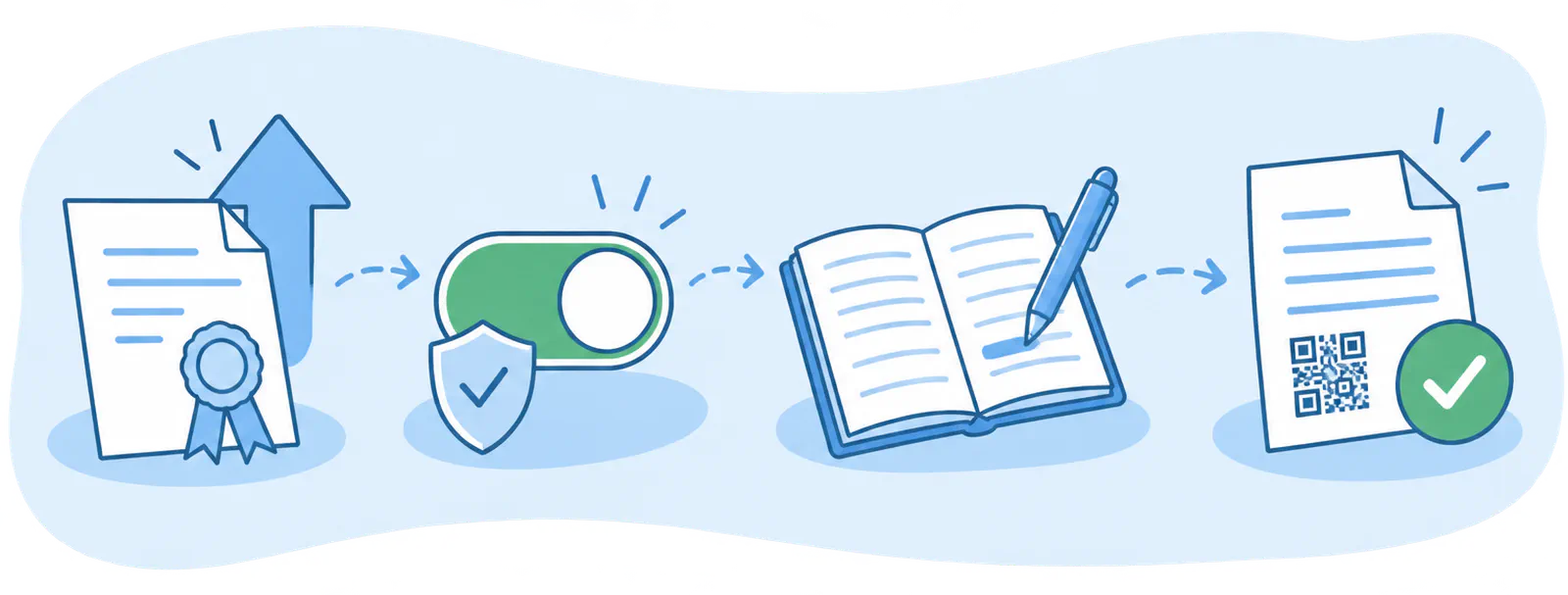
- Upload your certificate
- Activate TicketBAI or Batuz
- In Bizkaia, complete the LROE
- Invoice as usual
FAQ
We answer your questions
Answers to the most common questions about TicketBAI, Batuz and FacturaDirecta.