Send an invoice to FACe
Invoicing
Invoice Spanish public bodies: set up the client with their DIR3 codes, create the invoice and send it to FACe without leaving FacturaDirecta
In this tutorial, we show you how to invoice a Spanish public body and send the invoice to FACe from FacturaDirecta. First, you enable Facturae on the public body’s record: FacturaDirecta looks up its tax ID in the FACe catalogue and suggests its DIR3 codes, the accounting office, the managing body and the processing unit, so you don’t have to copy them by hand. You only do this once.
Then you create the invoice as usual, check in the FACe panel that nothing is missing and send it with Send FACe. FacturaDirecta generates the signed Facturae, registers it in FACe and shows you the registry number, without you having to visit the FACe website.
Video transcript
Invoicing a public body is really, really easy with FacturaDirecta. Let's see how to create an invoice and send it to FACe without leaving the app. First, set up the client. You only do this once. In Contacts, open the public body's record, expand the menu and click Enable Facturae. FacturaDirecta looks up their tax ID in the FACe catalogue and suggests their DIR3 codes: the accounting office, the managing body and the processing unit.
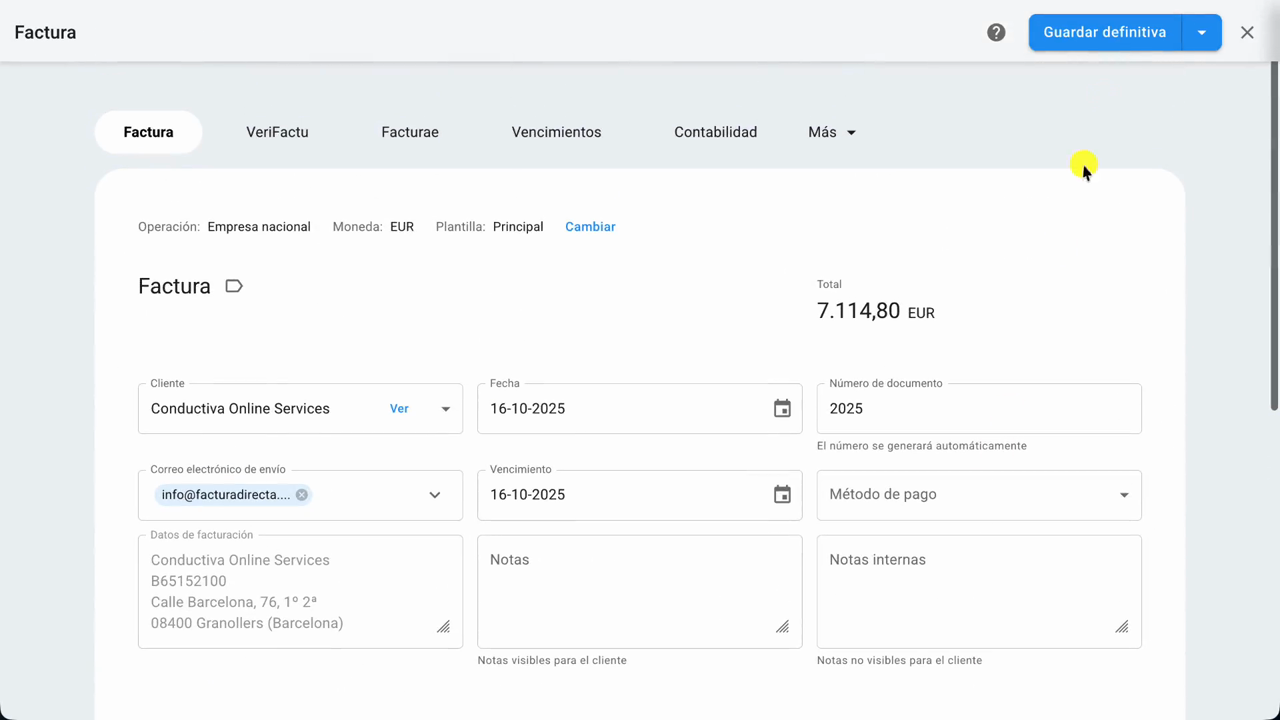
Click Use and they fill in by themselves, with nothing to copy by hand. Then click Save and close. Now create the invoice as usual. In Invoices, click New invoice and pick the client. Add the description, the quantity and the price. FacturaDirecta works out the VAT and the total for you. The Facturae tab has the FACe panel.
It checks that the invoice has everything FACe asks for and, if something is missing, tells you what. Here everything is ready. Click Save final and the invoice gets its number from the series. To send it, open the Send button's drop-down and choose Send FACe. Check the send details and the public body the invoice is going to.
Click Send FACe. FacturaDirecta generates the signed Facturae and registers it in FACe. If you don't have your own certificate, FacturaDirecta signs the invoice for you. And that's it: the invoice is registered in FACe, with its registry number. All without visiting the FACe website. From this panel you can follow the invoice's progress with Check.
Invoicing with flow, for public bodies too.