Invite your advisor or accountant
Settings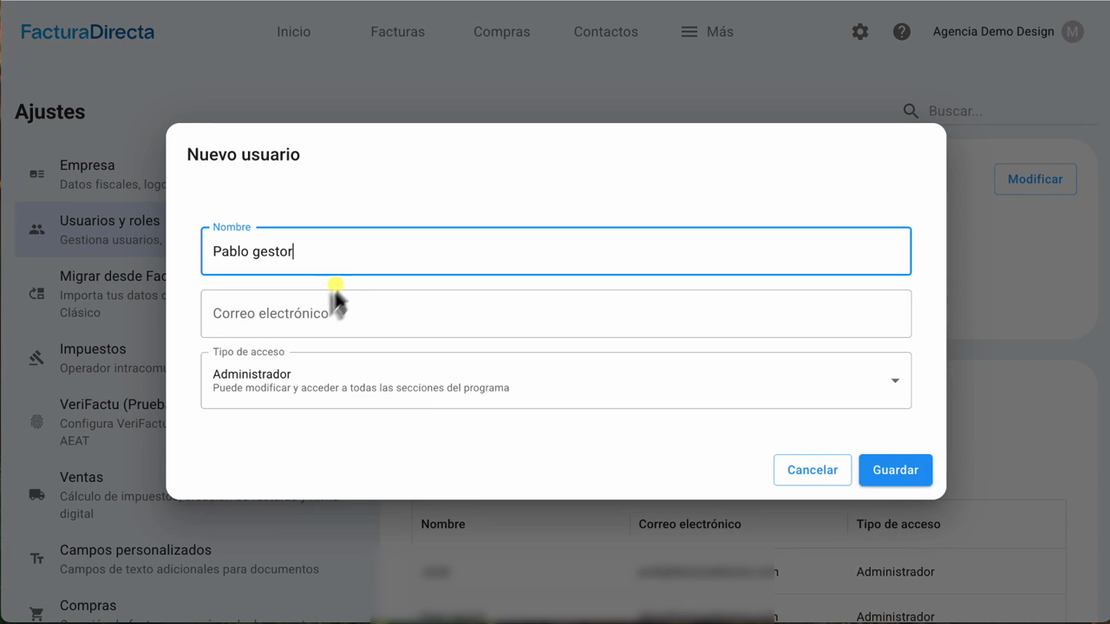
Learn two ways to invite your advisor or accountant to FacturaDirecta and give them access to your company with their own user account.
In this video, we show you how to invite your advisor from «Usuarios y roles» and «Mis empresas». You’ll see which details to enter, how to select «Asesor» access and how the invitation email works for new and existing users.
Video transcript
In FacturaDirecta, you can give your advisor access in two ways. We’ll show you both step by step. The first option is inside the company account. Go to Ajustes, select Usuarios y roles, and click Añadir usuario. Enter your advisor’s name and email address. Then, under Tipo de acceso, select Asesor and save.
The application may ask you to sign in again for security. Enter your credentials, then save the new user. FacturaDirecta sends an invitation email to the address you entered. The message includes a link to the company account. If they use FacturaDirecta or other firms, they can open the link and go straight into your company account.
If they don’t use FacturaDirecta yet, the link opens Crear usuario They enter their name and invited email, and choose a password. They can then access the company account. The second way to invite your advisor is from Mis empresas. In Mis empresas, find the company you want to give access to your advisor.
Open its three-dot menu and select Invita a tu asesor. Enter your advisor’s email and click Dar acceso. FacturaDirecta creates advisor access.