Create your first invoice
Invoicing
Learn how to create professional invoices in seconds
In this tutorial, we show you how to create your first invoice from scratch. You add the client without leaving the invoice, with their tax ID and address, enter the description, quantity and price, and choose the tax. FacturaDirecta works out the totals and, when you save it as final, gives it its number from the series. You can then email it to your client or download the PDF.
Video transcript
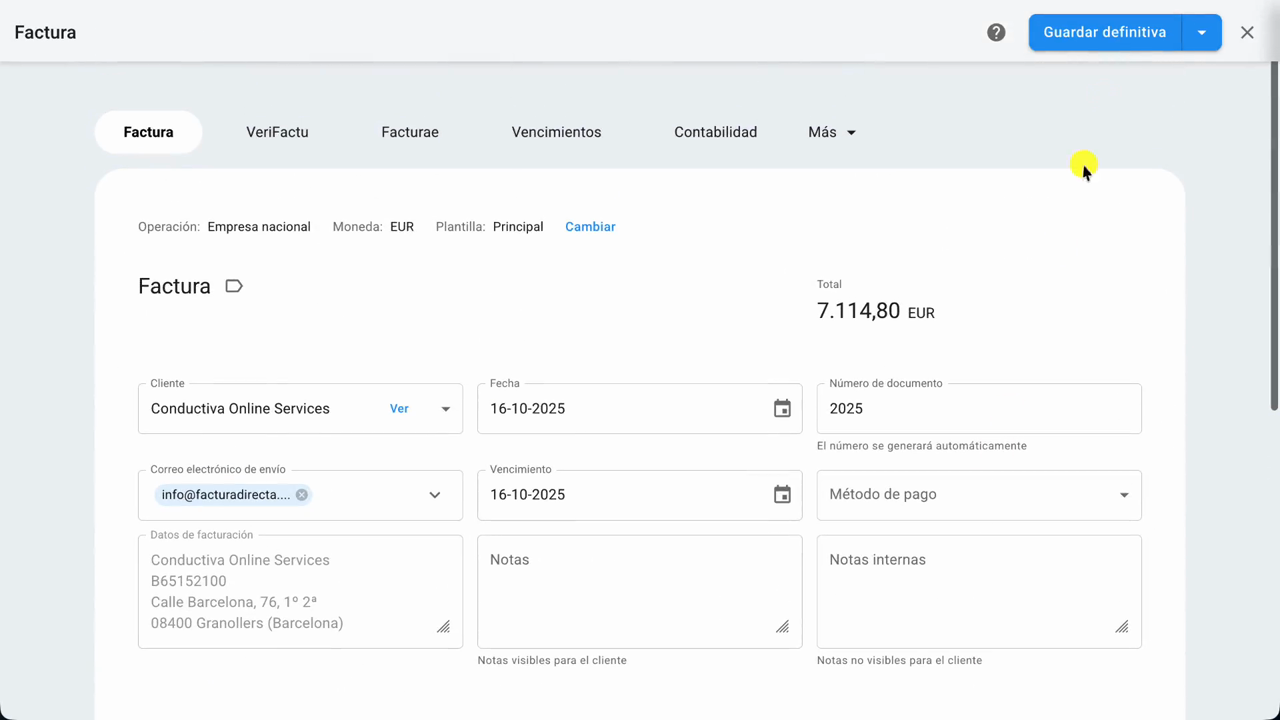
Let's see how to create your first invoice with FacturaDirecta, from adding the client to issuing it. First, go to Invoices and click the New invoice button. Search for the client. If they're not there yet, create them right here, without leaving the invoice. Enter their tax details: the name, the tax ID, which you need for a complete invoice, and the address that gets printed, with the postal code and the city.
Add their email address too, and click Save and close. The client stays in Contacts for next time, and FacturaDirecta has already checked their tax ID with the Tax Agency. Now add the description, the quantity and the price. FacturaDirecta works out the amount and the totals for you. Click the tax on the line to choose which ones apply.
In this case, keep the 21% VAT. When you're done, check that everything is right. If you'd rather review it later, the button's drop-down has Save draft. If it's ready, click Save final and the invoice gets its number from the series. And that's it. Your first invoice is ready. From here you can email it to your client, or print it and download the PDF.